.png?width=120&height=55&name=Blitzz-Logo-right%20white%20eyes%20-%20not%20transparent%20(3).png)

On this page
When Technicians Get It Wrong, It Costs You Everything
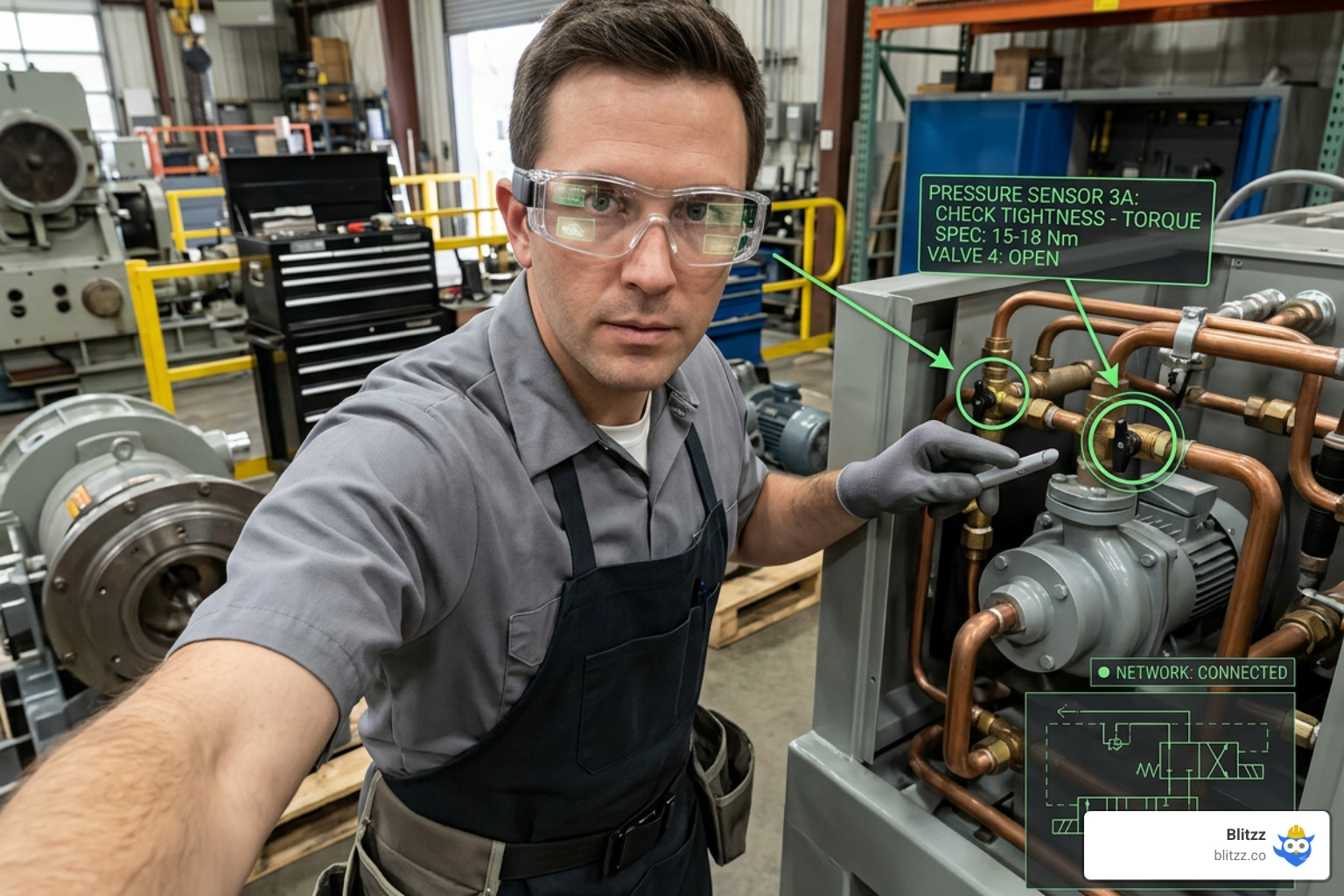
AR annotation for technicians is a technology that lets remote experts draw visual markers — arrows, labels, numbered steps — directly onto a technician's live camera feed, so guidance is clear, precise, and impossible to misinterpret.
Here's a quick summary of what it does and why it matters:
| What AR Annotation Does | The Result |
|---|---|
| Overlays arrows and labels on a live video stream | No more guessing or miscommunication |
| Anchors markers spatially to physical objects | Annotations stay in place as the technician moves |
| Connects field technicians to remote experts instantly | Fewer truck rolls, faster fixes |
| Replaces paper manuals with step-by-step visual guidance | 40% reduction in average repair time |
| Captures expert knowledge during live sessions | Institutional know-how doesn't retire with your staff |
Picture this: a critical pump fails at 2 AM. Your newest technician is on-site, flashlight in hand, flipping through a paper manual. Every minute of downtime costs your operation real money — industrial equipment failures can run up to $22,000 per hour in lost production.
That scenario plays out every day in field service, telecom, utilities, and manufacturing. The problem isn't that your technicians aren't capable. It's that traditional support methods — phone calls, PDFs, standard video — simply don't give them what they need in the moment.
A phone call can describe a component. AR annotation can point directly at it.
That difference is why organizations using AR-guided remote assistance are seeing a 91% first-time fix rate, compared to 67% with traditional methods. It's why emergency repair times are dropping by as much as 84%. And it's why the AR remote maintenance tools market is growing rapidly — because operations that still rely on paper documentation and plain video calls are falling behind.
This guide breaks down exactly how AR annotation works for technicians, what the measurable benefits look like, and how to deploy it across your team.
Quick AR annotation for technicians terms:
Demystifying AR Annotation for Technicians: How It Works
At its core, AR annotation isn't just about drawing on a screen. If you've ever tried to guide a technician by telling them to "turn the blue dial on the left," only to watch them grab the red lever on the right, you already know the limitations of standard communication.
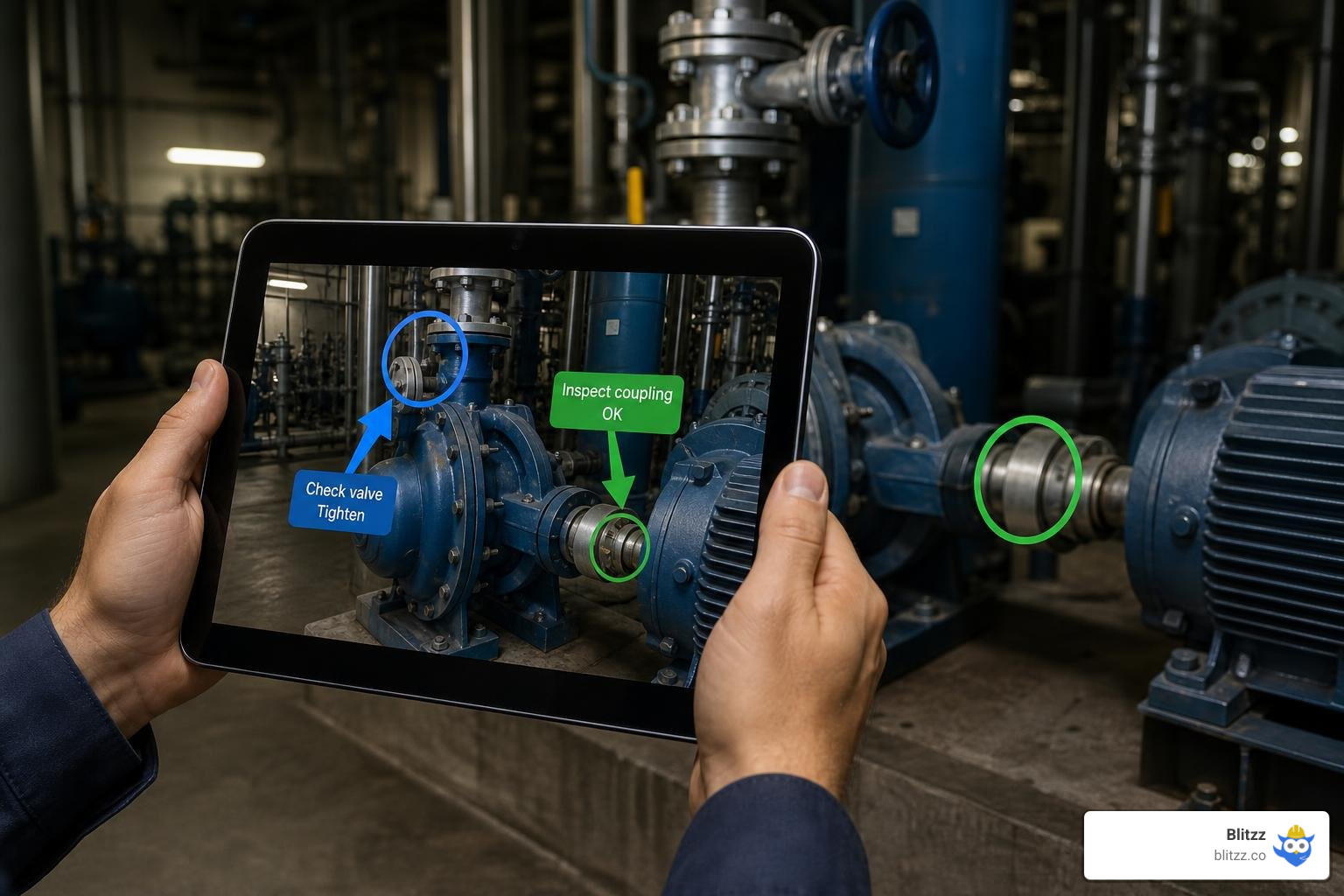
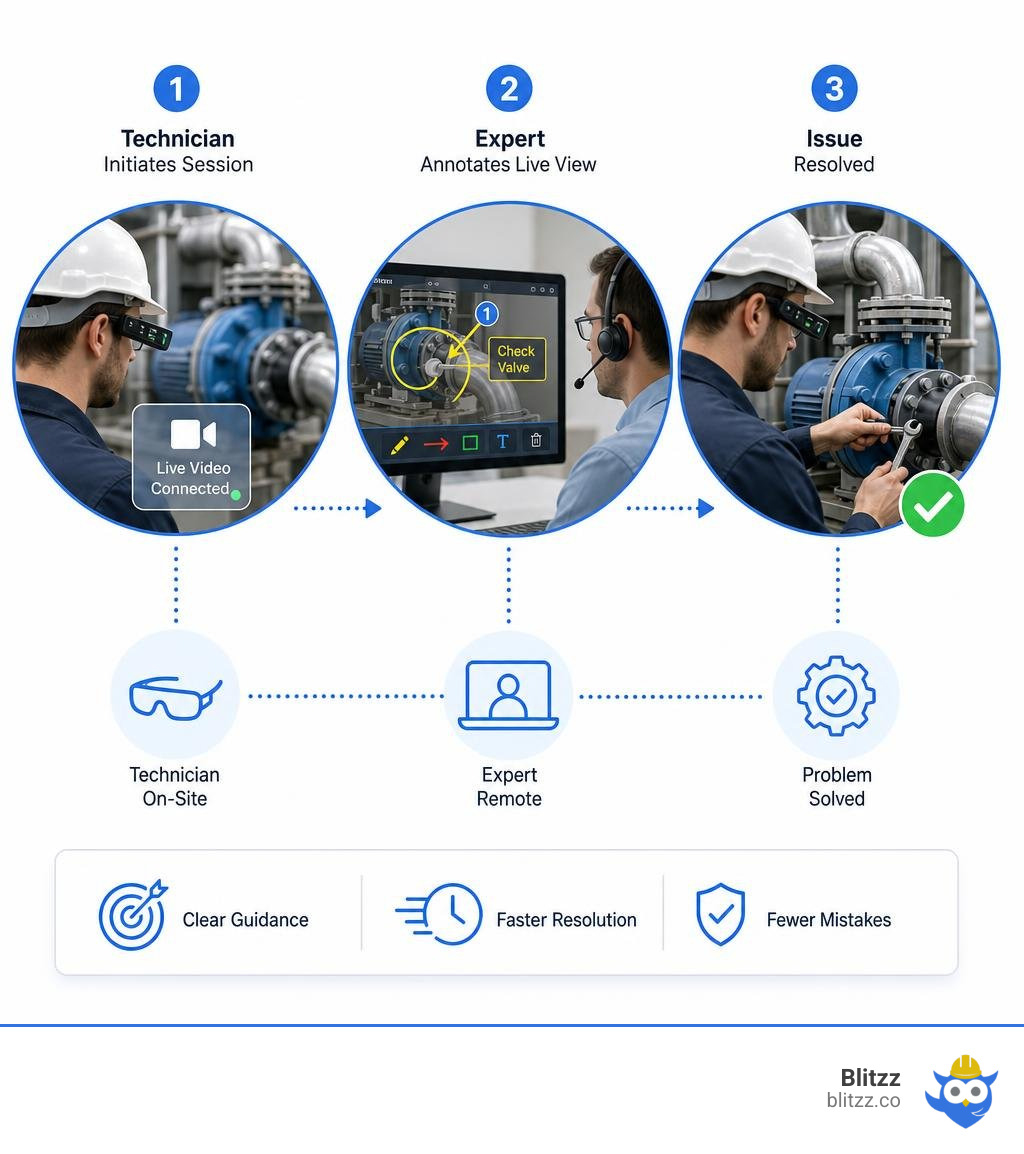
So, how does AR annotation actually work under the hood? It relies on a combination of real-time video streaming (often powered by WebRTC), computer vision, and spatial mapping. Here is the step-by-step breakdown of a typical session:
- The Live Feed: The technician in the field shares their camera view using a smartphone, tablet, or smart glasses. At Blitzz, we make this instant and browser-based — no app downloads required.
- Spatial Mapping & SLAM: The software uses the device's camera sensors to map the physical environment in real time. This process, often called Simultaneous Localization and Mapping (SLAM), identifies physical surfaces, edges, and objects.
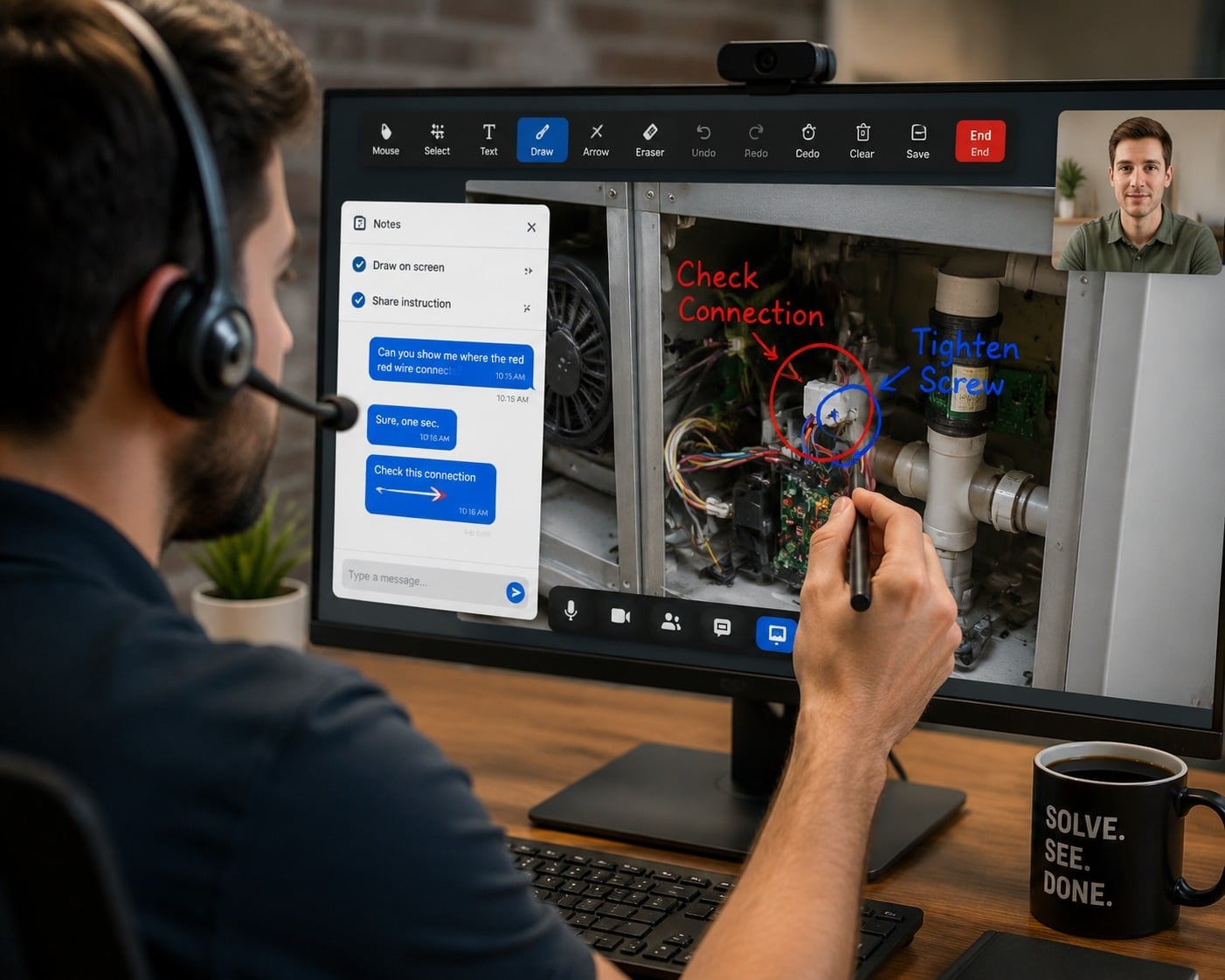
- Placing the Annotation: A remote expert, viewing the feed on their desktop, uses tools like Features: Pointer or Features: Markup to place a visual marker (like a 3D arrow or circle) onto a specific component.
- Spatial Persistence (3D Anchoring): Because the software understands the physical 3D space, the annotation "sticks" or "locks" to the physical object. Even if the technician moves their device, looks away, or walks around the machine, the arrow remains pinned to the exact wire, valve, or bolt.
This spatial persistence is what makes AR annotations a game-changer. For a deeper dive into why this beats standard screen sharing, read our guide on AR Annotation 101: Why Drawing on a Customer's Screen Beats Talking Them Through It.
Why Traditional Maintenance Documentation and Standard Video Calls Fail
Traditional maintenance methods and standard video calls fragment a technician's focus and increase error rates. When a technician has to look back and forth between a 2D paper schematic or a PDF manual and a complex piece of physical machinery, their cognitive load skyrockets.
Standard video calls aren't much better. They lack spatial communication. If the camera shakes or moves, any 2D markup drawn on the screen immediately loses its context, floating uselessly in mid-air. This communication gap often leads to incorrect repairs, safety hazards, and repeated "truck rolls" (sending another technician to fix the same issue).
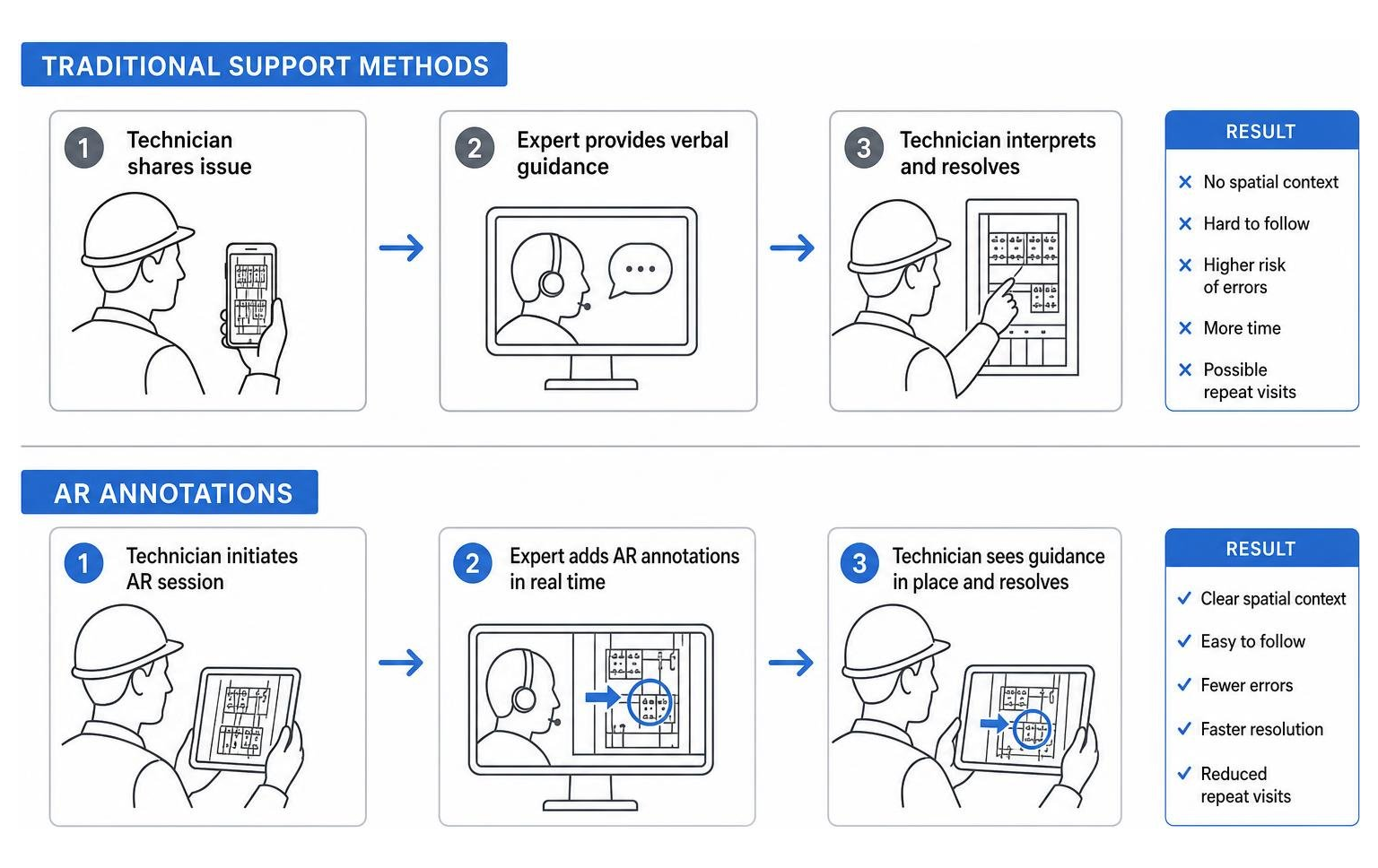
| Feature / Capability | Paper Manuals & PDFs | Standard Video Calls | AR Annotations |
|---|---|---|---|
| Hands-Free Usability | No (requires holding pages/device) | No (must hold phone to show feed) | Yes (when paired with smart glasses) |
| Spatial Persistence | None | None (drawings float when camera moves) | High (markers lock to physical objects) |
| Real-Time Expert Access | None | Yes (voice/video only) | Yes (with interactive visual guidance) |
| Downtime Impact | High (slow search times) | Medium (slowed by miscommunication) | Low (instant visual identification) |
| Safety Compliance | Low (distracts from surroundings) | Low (distracts from surroundings) | High (overlays safety warnings in-context) |
By moving away from static documents and basic video, organizations can drastically reduce human error. If you are debating between standard mobile calls and AR capabilities, check out our comparison on Mobile Video Calls vs. AR-Enabled Smart Glasses: Which Delivers Better Field Support?.
Key Benefits of AR-Guided Troubleshooting and Repairs
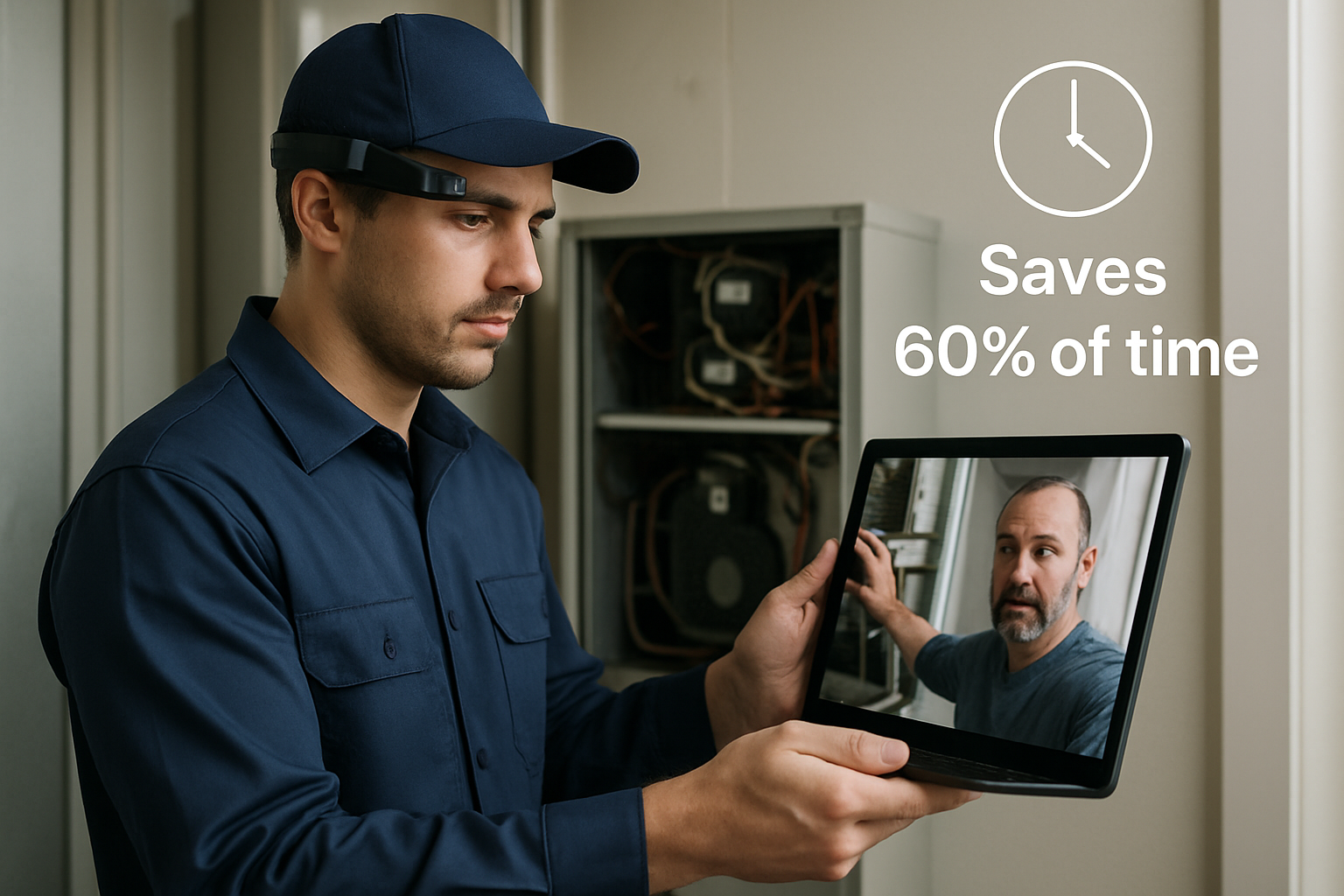
Implementing AR annotation for technicians isn't just a cool tech upgrade; it is a strategic move that delivers massive operational efficiency and cost savings. By putting visual instructions directly in the technician's line of sight, you reduce the average mean time to repair (MTTR) by 32% to 40%.
To learn more about how this technology empowers workers on the ground, explore How Augmented Reality Helps Field Service Workers.
Maximizing First-Time Fix Rates with AR Annotation for Technicians
A low first-time fix rate is one of the costliest problems in field service. When a technician arrives on-site but lacks the specific expertise to finish the job, you have to schedule a second visit.
With AR annotations, a junior technician can instantly connect with a tier-3 remote expert. The expert can use Features: Remote Zoom to inspect small serial numbers or wiring details, and then place precise annotations to guide the technician through the repair. This approach helps organizations boost their first-time fix rates to 91%, compared to just 67% with traditional support.
For more on how to eliminate repeat visits, read Reducing First-Visit Failures: Why Smart Glasses Are the Technician's Best Companion.
Accelerating Training and Knowledge Transfer
The industrial sector is facing a massive wave of retirements, and decades of tacit, "tribal" knowledge are walking out the door. AR annotations solve this by making training interactive and visual.
Instead of sitting in a classroom, new hires can wear AR devices and learn on-the-job. According to academic research on ARiana: Augmented Reality Based In-Situ Annotation of Assembly Videos, in-situ (real-time, on-the-job) AR annotations help users complete annotation and learning tasks four times faster while increasing accuracy by 23%. Organizations using AR-guided training report up to a 68% reduction in training time for new technicians.
Enhancing Safety in Hazardous Environments
In hazardous environments like high-voltage electrical stations, telecom towers, or chemical plants, distraction can be fatal. Looking down at a tablet or paper manual means taking your eyes off your surroundings.
AR smart glasses and voice-controlled AR annotations keep the technician's hands free and their focus on the task. Virtual safety boundaries, high-voltage warnings, and Lockout-Tagout (LOTO) protocols can be projected directly onto the machinery. To see how this works in high-risk sectors, read our guide on How to Enable Hands-Free Remote Video Inspection and Support with Smart Glass: A Telecom Guide.
Practical Use Cases Across Industrial Sectors
From manufacturing floors to remote general contracting sites, AR visual overlays are transforming how physical work gets done.

By integrating AR visual guidance with predictive maintenance data and digital twins, teams can identify and fix anomalies before they cause a shutdown. For example, general contractors are using these tools to run remote inspections, saving thousands of dollars in travel costs. Learn more about this in our article on AR Remote Site Inspections Reducing Travel for Multi-Site General Contractors.
Complex Vehicle Assembly and Automotive Repairs
In automotive manufacturing and servicing, precision is everything. Technicians often struggle to locate specific internal components behind complex panels.
With advanced AR systems, technicians can overlay a 3D digital twin or use an "X-ray view" to see exactly what lies behind a vehicle's paneling. This step-by-step digital support centralizes OEM manuals and 3D part visualizations into a single interactive dashboard, allowing technicians to perform complex repairs with confidence.
Field Service and Remote Site Inspections
Field service technicians face a wide variety of equipment every day, from telecom routers to underground gas pipelines. It is impossible for one technician to be an expert on every model.
With AR remote assistance, a technician can share their live feed with an off-site specialist. The specialist can annotate the feed to point out the exact port to plug a cable into or highlight a structural crack on a pipeline. These sessions can be recorded, and the photos can be GPS-tagged to provide audit-ready proof of compliance. To see how these tools are transforming field service, check out our Augmented Reality Remote Assistance Guide 2026.
Hardware and Integration: Setting Up Your AR Program
Deploying an AR annotation for technicians program does not have to be a multi-year IT headache. Most successful rollouts follow a structured, phased roadmap.
We always recommend starting with a pilot phase. Choose 3 to 5 high-impact use cases — like your procedures with the highest MTTR or worst first-time fix rates — and test them with a small group of technicians. For a step-by-step implementation plan, read our Roadmap to Transforming Field Work with Industrial Smart Glasses.
Choosing the Right Hardware: Smart Glasses vs. Mobile Devices
One of the first decisions you will make is choosing your hardware. The good news is that modern AR platforms are hardware-agnostic, meaning you can run them on:
- Smartphones and Tablets: The lowest barrier to entry. Every technician already has one, making mobile devices perfect for low-cost pilots.
- Industrial Smart Glasses: Devices like RealWear, Vuzix, or HMT-1 are built for rugged, hands-free work. They are dustproof, waterproof, and can even be ATEX-certified for hazardous, explosive environments.
To help you choose the right devices for your team, read our detailed guide on Integrating Smart Glasses Into Your Workflow: Vuzix, RealWear, and HMT-1.
Integrating AR Annotation for Technicians with CMMS and CRM Systems
To get the most value out of AR annotations, you should integrate them with your existing software, such as your Computerized Maintenance Management System (CMMS) or Customer Relationship Management (CRM) platform.
When a work order is generated, the system can automatically link the correct AR procedure based on the asset type and fault code. Once the repair is complete, the recorded AR session, annotations, and voice transcripts can be automatically saved directly to the work order history. This creates a hands-free audit trail and builds a searchable knowledge base. To understand how to connect these systems, see The Future of Field Service: Integrating Smart Glasses with Remote Assistance Platforms.
Frequently Asked Questions about AR Annotations
Does AR annotation work in low-bandwidth or offline environments?
Yes. High-quality AR platforms use adaptive HD video algorithms to maintain sessions in variable-bandwidth environments (like 4G LTE or remote Wi-Fi), automatically lowering video resolution to keep the audio and spatial annotations synced. For completely offline environments, critical 3D guides and step-by-step checklists can be cached locally on the device, allowing the technician to work offline and sync their data once they reconnect.
What is the difference between standard video markup and spatial AR annotations?
Standard video markup acts like a flat drawing on a window pane. If the camera moves, the drawing stays in the center of the screen, completely losing its relationship to the object. Spatial AR annotations use computer vision (SLAM) to anchor the drawing to the 3D physical object. The marker stays pinned to the actual component even if the technician shakes, rotates, or moves the camera.
How long does it take to deploy an AR annotation system for a technician team?
Because modern platforms like Blitzz are cloud-based and browser-friendly, you can get started in minutes without any on-premise installation. A typical enterprise-wide deployment — including custom API integrations with your CMMS/CRM, hardware provisioning, and technician training — usually takes about 6 to 8 weeks to show a positive ROI.
Conclusion
The transition to AR annotation for technicians is a key part of digital transformation in field operations. By replacing outdated paper manuals and flat video calls with interactive, 3D visual guidance, organizations can protect their technicians from costly mistakes, reduce downtime, and save thousands of dollars in travel costs.
At Blitzz, we help companies simplify this transition. Our browser-based, app-free remote visual assistance platform allows your experts to collaborate with field technicians and customers instantly on any device.
Ready to see how AR annotations can transform your service metrics? Explore our Visual Remote Assistance for Contact Centers Guide and book a demo with us today.

Blitzz Team
The Blitzz Team writes about remote video support, virtual inspections and field service. Our guides come from working with home builders, property managers, warranty teams, contact centers and field service organizations that use Blitzz to see and solve issues without a truck roll.