.png?width=120&height=55&name=Blitzz-Logo-right%20white%20eyes%20-%20not%20transparent%20(3).png)

On this page
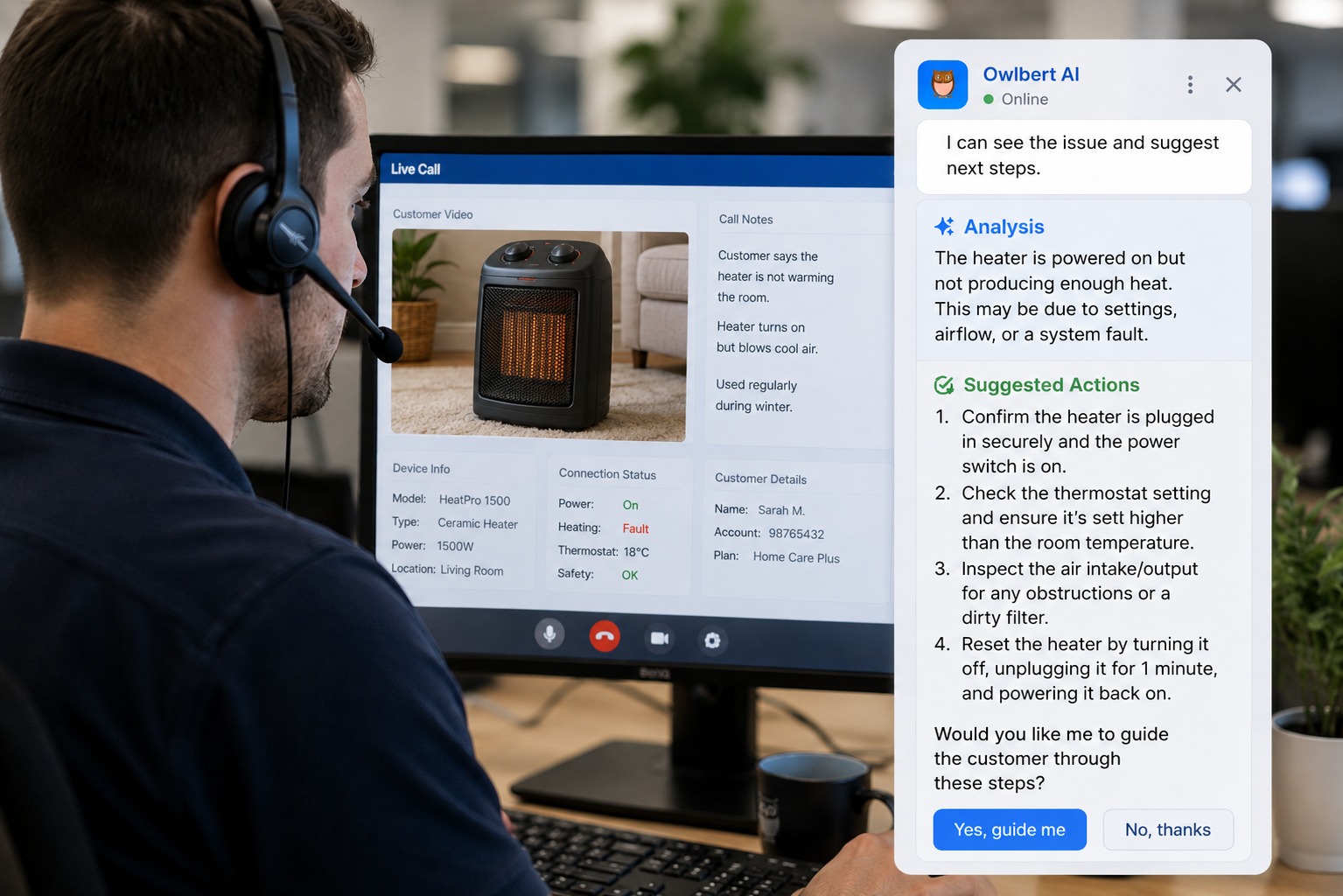
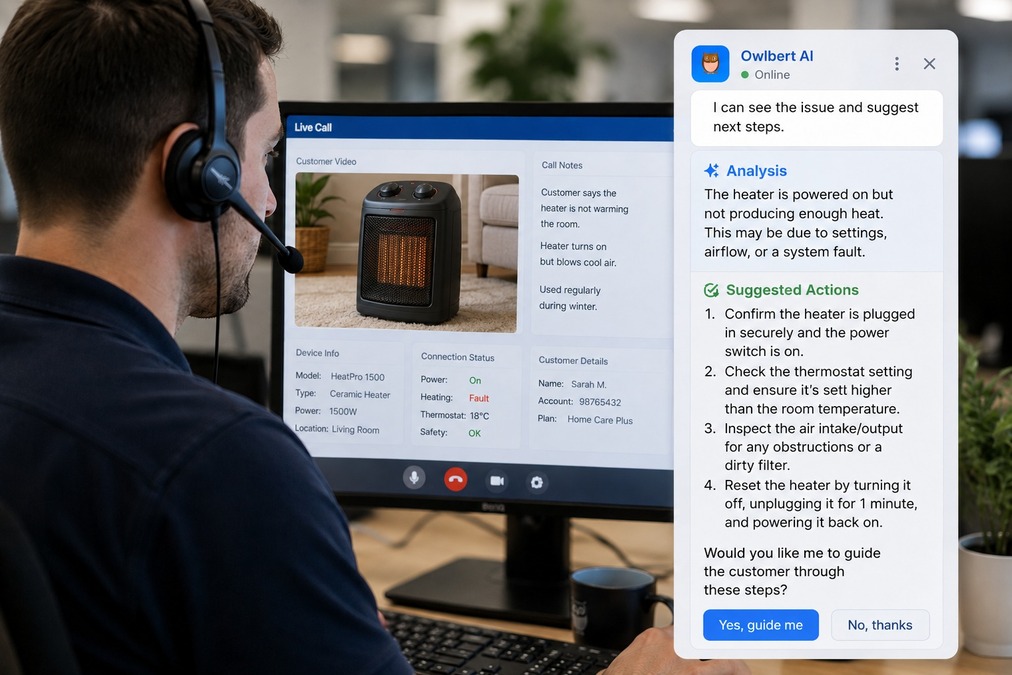
AI Agent Assist is technology that watches a live video support session in real time, understands what the camera sees, and surfaces the exact troubleshooting step or knowledge base article an agent needs — while the call is still happening. Unlike a chatbot that only reads text, or a call recorder that only captures audio for review afterward, AI Agent Assist works during the interaction itself, turning a live video feed into an active diagnostic tool.
For support and field service teams, this shift matters more than it might first appear. Most customer issues aren't described well in words. A customer says "the light is blinking," but they don't know if it's red or amber, solid or flashing, or which port it's next to. An agent asks follow-up questions, the customer fumbles with the device, and minutes tick by before anyone actually knows what's wrong. AI Agent Assist removes that guessing game by letting the AI look at the same frame the agent is looking at and tell them, in plain language, what it's seeing and what to do about it.
This guide breaks down what AI Agent Assist actually is, how it works, why it matters for support and field service operations, and what to look for if you're evaluating it for your own team.
What AI Agent Assist Actually Means
The term gets used loosely, so it's worth being precise. AI Agent Assist, in the context of visual support, refers to an AI layer that performs three connected functions during a live video session:
It sees. The AI processes the live video stream frame by frame, identifying physical objects, equipment models, serial numbers, indicator lights, wiring, and visible damage — the same kind of frame-by-frame recognition BlitzzCam uses to pull text and numbers straight off a device. It's parsing the same visual information the human agent is looking at, but doing it instantly and without fatigue.
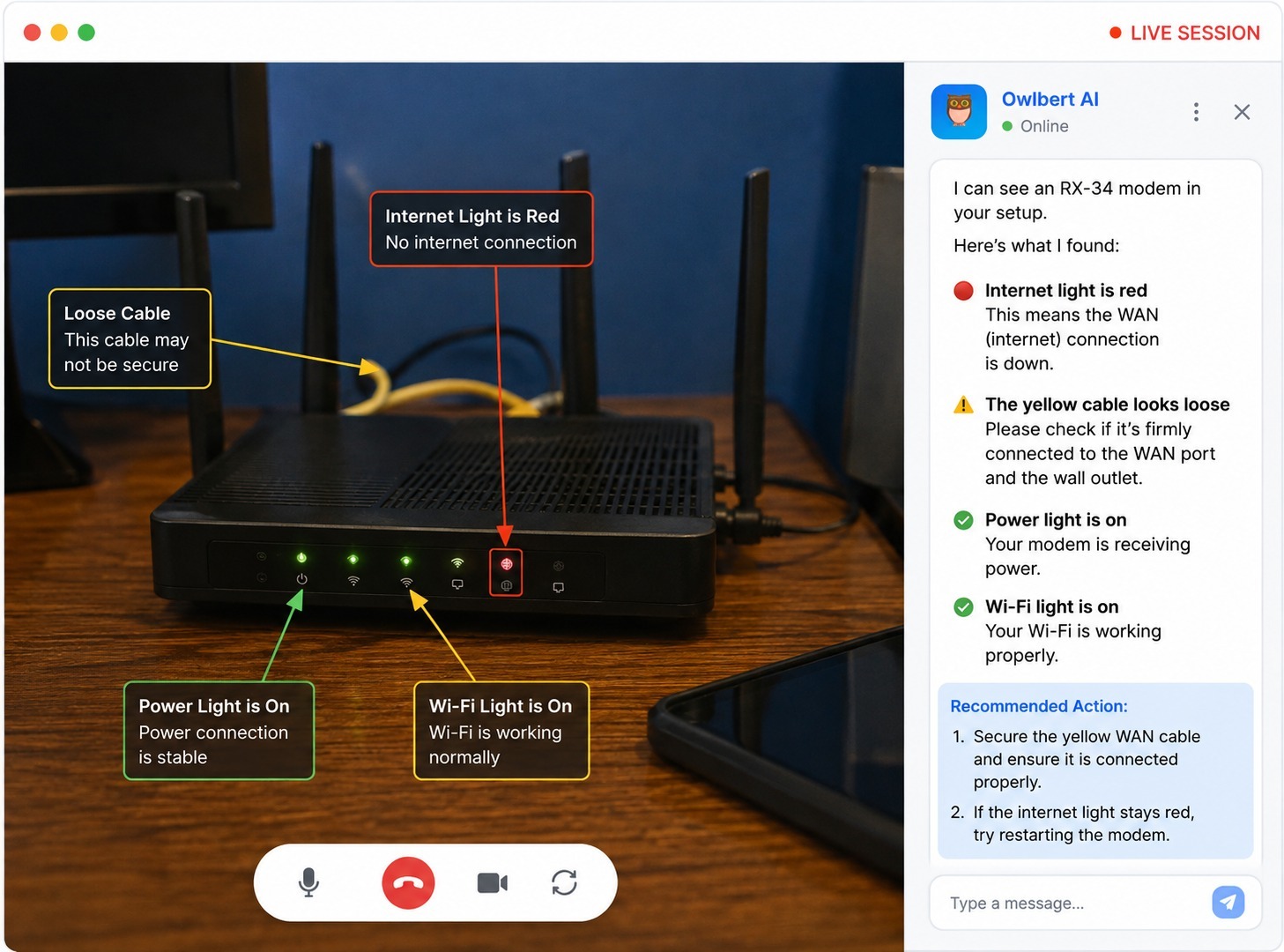
It reasons. Seeing an object isn't the same as understanding what's wrong with it. A red LED on a router is just a red LED until the AI connects it to a known failure pattern — a WAN handshake failure, for example. This is where the "assist" part of AI Agent Assist earns its name: the system connects a visual symptom to a probable cause.
It resolves. Once the AI has a working diagnosis, it searches the company's own knowledge base, manuals, and past ticket history for the matching fix, and surfaces the exact steps the agent needs — often with a confidence or match score attached, so the agent knows how much to trust the suggestion.
Put together, this is meaningfully different from earlier generations of support technology. A basic screen recorder documents a call for later review. A chatbot deflects simple text-based questions before a human gets involved. AI Agent Assist does neither of those things — it rides alongside a live human conversation and makes the agent faster and more accurate while the customer is still on the line.
Why Video Alone Isn't Enough
Video support on its own was already a major improvement over voice-only troubleshooting. Being able to see a customer's equipment instead of relying on their description cuts out an enormous amount of miscommunication. But video by itself still depends entirely on the agent's own expertise to interpret what's on screen.
This creates a few predictable problems. New agents, who haven't yet built up pattern recognition for dozens of device models and failure states, take longer to diagnose issues and are more likely to guess wrong — which is part of why first-contact resolution rates run low for teams without AI support. Experienced agents get faster over time, but they're still working from memory and still have to pause the conversation to look something up when they hit an issue outside their expertise. And after the call ends, someone still has to write up what happened, which eats into time that could go toward the next customer.
AI Agent Assist addresses all three of these at once. It gives a first-day agent the pattern recognition of a ten-year veteran, because the AI has effectively learned from the company's entire knowledge base and ticket history. It removes the need to pause and search mid-call, because the relevant article surfaces automatically. And it can generate the session summary and case notes automatically once the call wraps, so the agent's job ends when the customer's problem is solved rather than after another five minutes of typing.
How It Fits Into a Live Support Session
To make this concrete, here's what an AI-assisted session typically looks like in practice:
Step one: the customer connects. The customer taps a secure link sent by SMS, email, or another channel, and their camera opens directly in the browser. No app download, no account creation — this is one of the reasons visual support tools have grown so quickly, since friction on the customer side kills adoption.
Step two: the AI starts watching. As soon as the video feed is live, the AI begins parsing what's in frame. If the customer pans their camera toward a piece of equipment, the AI works to identify the model, relevant markings, and any visible symptoms — a warning light, a crack, a loose cable — without needing the customer to read anything out loud or type anything in.
Step three: the agent gets a plain-language read. Rather than showing the agent raw data, the AI produces a short, human-readable summary of what it's seeing and its best guess at the cause, along with the matching knowledge base article and a confidence score. The agent stays in control — they're reviewing a suggestion, not following a script blindly.
Step four: the issue gets resolved and logged. The agent guides the customer through the fix using the AI's suggested steps. Once the call ends, the summary, photos, and any notes sync automatically to whatever CRM or ticketing system the team already uses — Salesforce, Zendesk, ServiceNow, and similar platforms are common integration points.
The entire flow is designed to add capability without adding steps. The agent isn't learning a new tool so much as getting a smarter version of the tool they already use.
Where AI Agent Assist Makes the Biggest Difference
Not every support interaction benefits equally from this kind of technology. It tends to matter most in a few specific situations:
Complex or varied equipment. Field service and technical support teams that deal with dozens or hundreds of device models — routers, HVAC units, industrial machinery, vehicles — benefit enormously from AI that can recognize a specific model on sight rather than relying on the customer to read a label correctly.
High agent turnover. Contact centers with frequent staffing changes lose a lot of institutional knowledge every time an experienced agent leaves — a problem closely tied to the agent burnout driving much of that turnover in the first place. AI Agent Assist effectively bakes that institutional knowledge into the tool itself, so new hires can perform closer to veteran level from their first week.
Compliance-heavy industries. Insurance, healthcare, banking, and government-adjacent support teams often have strict documentation requirements. Automated, accurate call summaries and audit trails aren't just a convenience in these environments — they're close to a necessity.
High call volume with repetitive failure patterns. If a large share of incoming issues fall into a limited set of known problems — a specific router error, a specific mechanical failure — AI Agent Assist gets sharper and faster over time as it accumulates more resolved cases to learn from, which is reflected in the metrics that actually shift when a team adopts it.
What to Look for When Evaluating AI Agent Assist
If your team is exploring this category of tool, a few questions are worth asking of any vendor:
Does it work on live video, or only after the fact? Some tools market themselves as "AI-powered" but only generate summaries after a call ends. That's useful for documentation, but it doesn't help the agent during the call itself, which is where most of the time is actually lost — and where most of the reduction in average handle time actually comes from.
Is it trained on your content, or generic content? A system trained on a company's own manuals, articles, and past tickets will consistently outperform one trained on generic, industry-wide data, especially for niche or proprietary equipment.
Does it show its work? Look for tools that cite the specific knowledge base article behind a suggestion and show a confidence or match score. Agents are far more likely to trust — and correctly use — an AI suggestion when they can see why it was made.
Does it require the customer to download anything? Any added friction on the customer side reduces how many people actually complete a video session in the first place. Browser-based, no-download connections tend to see meaningfully higher completion rates.
Does it integrate with your existing systems? A tool that requires agents to work in a separate window from their CRM adds friction rather than removing it. Native integrations with platforms like Salesforce, Zendesk, and Genesys keep the workflow inside the systems teams already use daily.
Common Questions About AI Agent Assist
Is AI Agent Assist the same as a chatbot? No. A chatbot typically handles text-based conversations before a human agent gets involved, often to deflect simple, repetitive questions. AI Agent Assist operates during a live video session alongside a human agent, interpreting visual information rather than text and supporting the agent rather than replacing the interaction entirely.
Does AI Agent Assist replace human agents? No. It's designed to make human agents faster and more accurate, not to remove them from the process. The AI surfaces suggestions and matching documentation; the agent still makes the final call on how to guide the customer. This distinction matters especially in regulated industries, where a human needs to remain accountable for the resolution.
How accurate is AI Agent Assist at identifying equipment? Accuracy depends heavily on how well the underlying system has been trained on a company's specific equipment and documentation. Tools trained on a company's own manuals, past tickets, and product catalog tend to perform far better than generic, off-the-shelf visual recognition, since they've learned the exact models and failure patterns relevant to that business.
What happens if the AI gets the diagnosis wrong? Well-designed systems show their confidence level and cite the source article behind a suggestion, rather than presenting a diagnosis as certain fact. This lets the agent weigh the suggestion against their own judgment rather than following it blindly, which keeps the human agent in control of the final decision.
Does using AI Agent Assist require customers to install anything? The best implementations run entirely in the customer's browser, requiring no app download or account creation. This matters because every additional step between a support link and an active video session reduces the number of customers who successfully complete one.
What kind of results do teams typically see? Results vary by industry and use case, but common outcomes include meaningfully faster average resolution times, fewer unnecessary truck rolls or in-person visits, and significantly reduced time spent on post-call documentation, since the AI can generate much of that automatically.
The Bottom Line
AI Agent Assist represents a genuine shift in what's possible during a live support or field service interaction — not a replacement for the human agent, but a second set of eyes that never gets tired, never forgets a knowledge base article, and never has to pause the conversation to go look something up. For teams juggling complex equipment, high turnover, strict compliance requirements, or simply a high volume of repetitive issues, the combination of real-time visual recognition and instant knowledge base matching can meaningfully cut resolution times, reduce unnecessary truck rolls, and free agents from hours of manual documentation.
As video-based support continues to become the default rather than the exception, the tools that understand what the camera sees — not just record it — are likely to set the standard for what good remote support looks like.

Blitzz Team
The Blitzz Team writes about remote video support, virtual inspections and field service. Our guides come from working with home builders, property managers, warranty teams, contact centers and field service organizations that use Blitzz to see and solve issues without a truck roll.
.jpg)