.png?width=120&height=55&name=Blitzz-Logo-right%20white%20eyes%20-%20not%20transparent%20(3).png)

On this page
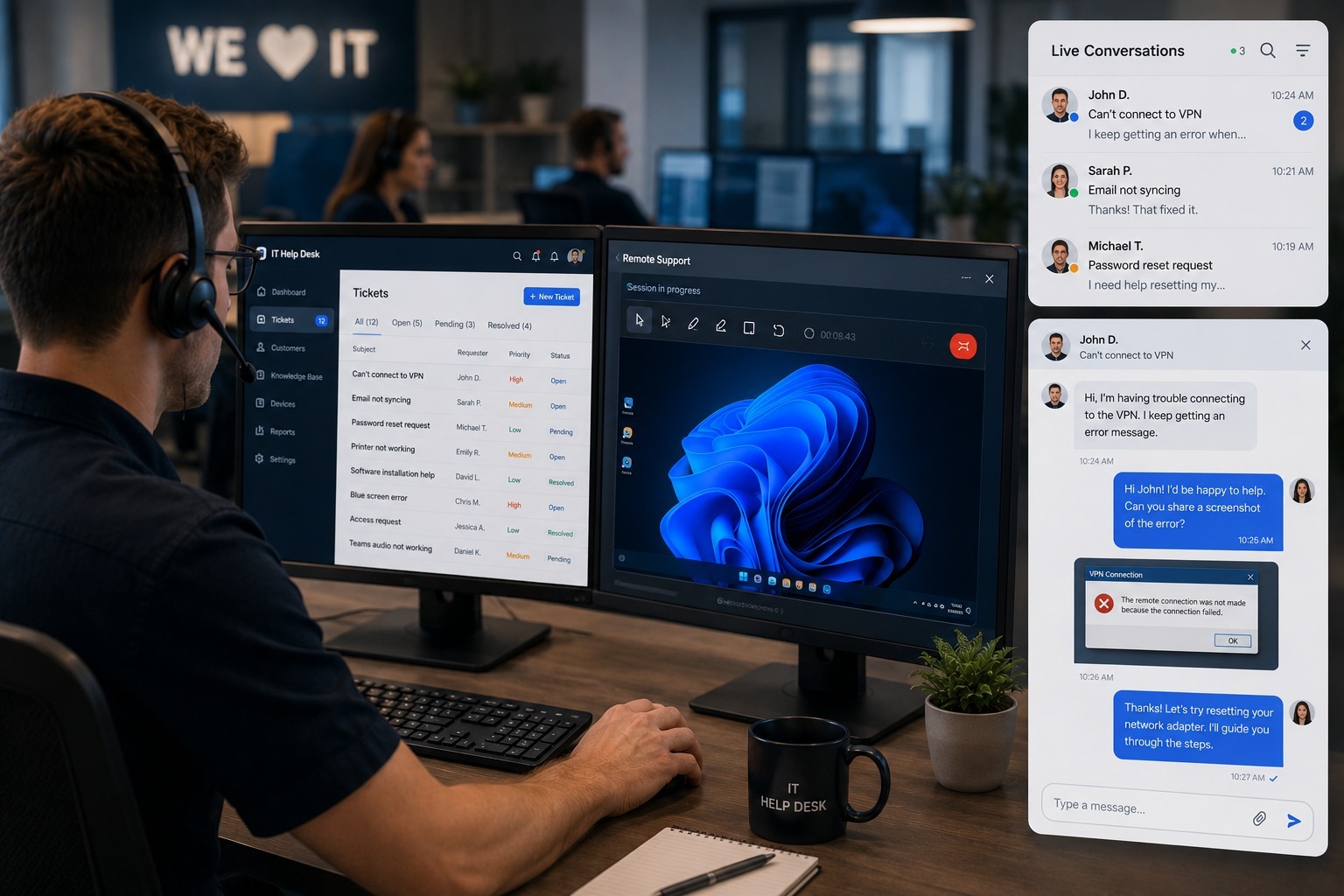
Every IT help desk has the same core problem: agents spend too much time trying to understand a problem they can't see. A user describes an error message that doesn't match anything in the knowledge base, a printer "just won't work," or a browser setting is buried three menus deep in a place the user can't find on their own. Multiply that ambiguity across hundreds of tickets a day, and it's easy to see why average resolution times creep upward even when agents are skilled and motivated.
Screen sharing solves this problem at the source. Instead of asking a user to describe what they're seeing, an agent can look at it directly, point to the exact setting that needs to change, and confirm the fix worked before closing the ticket. This article breaks down why screen sharing has become one of the most effective tools for cutting IT help desk resolution times, what to look for in a platform, and how tools like Blitzz ScreenShare fit into a modern help desk workflow.
Why Ticket Resolution Time Is So Hard to Control
Resolution time is one of the most closely tracked metrics in any IT help desk, and for good reason — it directly affects user productivity, support costs, and how the IT department is perceived across the rest of the organization. But resolution time is also one of the hardest metrics to control, because so much of it is driven by communication friction rather than the actual technical complexity of the fix.
A huge share of help desk tickets involve issues that would take an agent seconds to fix if they could see the screen directly, but take five or ten times longer when the agent has to rely entirely on a verbal description. The guide on reducing average handle time with AI covers this exact gap, noting that a large portion of handle time in modern support environments comes down to agents and customers struggling to describe and interpret the same problem in words, rather than from the technical difficulty of the fix itself.
How Screen Sharing Closes the Communication Gap
Screen sharing removes the guesswork entirely. Instead of an agent asking a user to "click the gear icon in the top right, no, the other one," the agent can see exactly what's on the screen and either walk the user through the fix in real time or, depending on the platform and permissions, make the change directly. This shift from verbal description to direct visual confirmation is why screen sharing consistently outperforms phone-only support on both resolution time and customer satisfaction.
This isn't a marginal improvement. The data summarized in boosting first-call resolution by 40% through remote visual support points out that low first-call resolution usually isn't a training or staffing problem — it's a visibility problem. Agents are skilled and trying their best, but they're working without the single most useful piece of information available: what the user is actually looking at. Screen sharing gives agents that information in seconds instead of minutes.
Screen Sharing vs. Remote Desktop Control
It's worth being precise about terminology here, because "screen sharing" and "remote desktop control" often get used interchangeably even though they solve slightly different problems. Screen sharing lets an agent see a user's screen and guide them verbally or through annotations, while remote desktop control lets the agent actually take over the mouse and keyboard to make changes directly.
Both have a place in an IT help desk's toolkit, but the right choice depends on the situation. For issues where a user just needs a fix explained once — a setting they'll need to find again themselves — screen sharing with guided annotation tends to be more effective, since it builds the user's own understanding rather than making them a passive observer while the agent takes over. For issues where the fastest path to resolution is simply making the change directly, full remote control saves time. The comparison in co-browsing vs. remote desktop breaks down this distinction in more depth, covering exactly where each approach fits best depending on the type of ticket and the sensitivity of the systems involved.
Reducing Escalations and Repeat Tickets
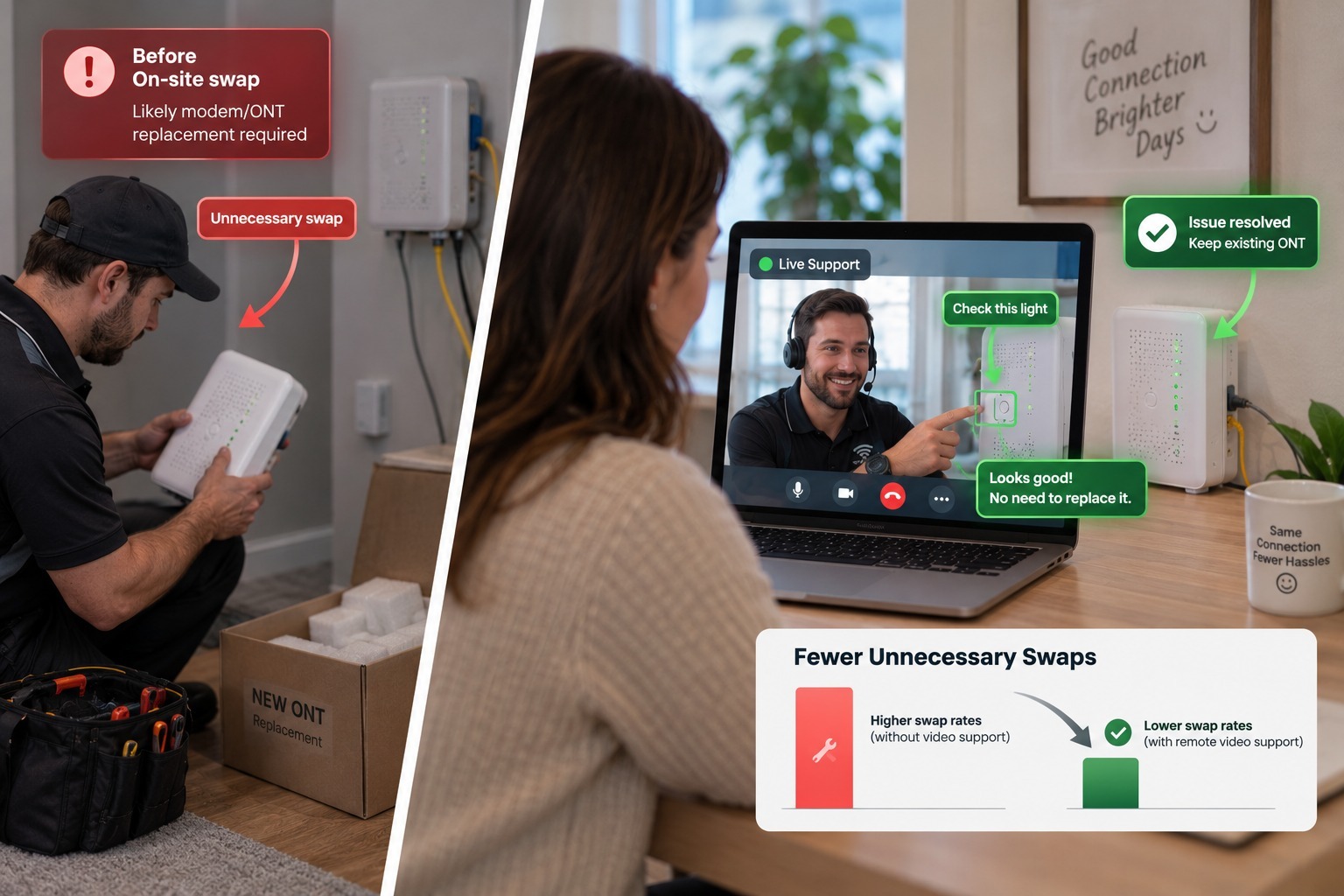
One of the most underappreciated benefits of screen sharing is its effect on escalation rates. When a tier-1 agent can see exactly what's happening on a user's screen, they're far more likely to resolve an issue on the first contact instead of escalating it to tier 2 simply because a verbal description wasn't detailed enough to diagnose the problem. Fewer escalations means faster resolution for the user and less workload pushed onto more specialized (and more expensive) support tiers.
This also reduces repeat tickets — the frustrating pattern where a user's issue gets marked resolved, only to reopen days later because the underlying problem wasn't actually fixed, just temporarily worked around. The article on why your first contact resolution rate is low explains how low first-contact resolution rates hurt both customer experience and operational efficiency, and how visibility into the actual problem — not just a text description of it — is one of the most direct ways to improve that number.
The Security Side of Screen Sharing for IT Help Desks
IT help desks handle sensitive systems, which means screen sharing tools need to meet a higher security bar than a casual video call. A help desk-grade screen sharing platform should support session-level permissions (so an agent can view a screen without automatically gaining full control), clear session start and end confirmations so users always know when they're being viewed, and detailed session logging for audit and compliance purposes.
This matters even more for organizations subject to compliance frameworks around IT systems access, where every remote session needs to be traceable after the fact. Teams evaluating platforms for this purpose should look closely at how session data is logged and retained, not just how smoothly a session launches. The considerations outlined in the enterprise buyer's checklist for remote support tools in BPO environments apply just as directly to internal IT help desks as they do to outsourced contact centers — automated session logging isn't a nice-to-have, it's often a hard compliance requirement.
Comparing Screen Sharing Tools for IT Support
Not every screen sharing tool was built with IT help desks specifically in mind. General-purpose remote access tools like TeamViewer and LogMeIn have long been popular for IT support, largely because they combine screen sharing with full remote control in a single package. The comparisons in Blitzz vs. LogMeIn and 10 best TeamViewer alternatives both cover how these established tools stack up against newer, browser-based alternatives on setup time, session-launch friction, and integration with modern ticketing systems.
The trend in recent years has moved toward tools that require no download at all, letting a user click a link and start a session instantly rather than installing a remote access client first — a meaningful difference when an agent is trying to resolve a ticket quickly rather than walking a frustrated user through a software installation before the actual support session can even begin. This shift is a core part of why platforms like Blitzz ScreenShare have gained traction specifically for help desk use cases where speed to first contact matters as much as the fix itself.
Integrating Screen Sharing Into Existing Ticketing Workflows
Screen sharing delivers the most value when it's built directly into the tools an IT help desk already uses, rather than treated as a separate system agents have to switch into manually. When a screen sharing session can be launched directly from a ticket in Zendesk, ServiceNow, or a similar platform, agents save the time otherwise spent copying ticket details into a separate tool, and session data — recordings, timestamps, resolution notes — can sync back into the ticket automatically for future reference.
This kind of integration also makes reporting far more useful. Instead of resolution time and screen-share usage living in two disconnected systems, help desk managers can see directly which ticket categories benefit most from visual support and adjust staffing or training accordingly. The broader case for this kind of consolidated workflow is covered in Blitzz integrations: connect to your existing VRA workflow, which explains how pairing screen sharing, co-browsing, and video support under a single integrated platform keeps session data in one place instead of scattered across disconnected tools.
The Agent Experience Side of Faster Resolutions
Ticket resolution time isn't just a customer experience metric — it's also one of the biggest drivers of agent burnout in high-volume support environments. Agents who spend their day working through a long queue of tickets that each take twice as long as necessary, simply because they can't see what the user is describing, tend to experience far more frustration and fatigue than agents equipped with tools that let them resolve issues quickly and move on.
This connection between resolution speed and agent wellbeing is covered in detail in how remote visual support tools reduce agent burnout in high-turnover BPOs, which points out that burnout is a silent cost center inside many support operations — showing up in turnover rates that can run from 30 to 60 percent annually in high-volume environments. Reducing the friction in every single ticket, even by a small amount, compounds into a meaningfully lighter workload across an agent's entire shift. The broader discussion in customer support burnout is real: here's how AI can help covers additional ways visual tools and automation combine to reduce the repetitive strain that drives support agents to leave the role altogether.
Measuring the Impact on Resolution Time
Any help desk considering screen sharing should track a few specific metrics before and after rollout to understand the real impact. Average handle time and first-contact resolution rate are the most obvious starting points, but escalation rate and repeat-ticket rate often show even more dramatic improvement, since screen sharing tends to catch underlying issues that a verbal description alone would miss.
The broader framework for tracking these numbers is covered in the metrics that actually matter in AI customer support and the related top customer service KPIs every business should track, both of which emphasize measuring outcomes that actually reflect user experience — first-contact resolution, average handle time, and repeat-contact rate — rather than vanity metrics like total tickets closed, which can be misleading if agents are closing tickets prematurely just to hit a volume target.
Why Visual Support Is Becoming the Default, Not the Exception
A few years ago, screen sharing was often treated as an escalation tool — something reserved for particularly confusing tickets that phone support alone couldn't resolve. That's changing quickly. More help desks are building screen sharing into their standard workflow from the first contact, rather than waiting until a ticket has already dragged on for several exchanges.
This shift mirrors a broader change in how support organizations think about visual tools generally. The comparison in visual customer support vs. traditional call centers explains how real-time visual context consistently outperforms voice-only support on resolution speed and accuracy, and the deeper dive in what is visual customer support? The new frontier of CX covers how live video, co-browsing, and screen sharing are converging into a single expected baseline for modern support, not a specialized add-on reserved for the hardest tickets. The related breakdown of how live video support cuts resolution time and boosts efficiency reinforces the same point from the video side of the equation, showing that the underlying driver — visual context replacing verbal description — holds true across every format of remote visual support.
Why Remote and Hybrid Work Made This Even More Urgent
The shift toward remote and hybrid work has made screen sharing less of a convenience and more of a necessity for IT help desks. A few years ago, a stuck employee could often just walk over to the IT desk in person and show someone the problem directly. That option disappeared for a huge portion of the workforce, and it hasn't fully returned even as offices have reopened in various forms. Today, a help desk agent supporting a remote employee has no physical fallback option — screen sharing is the closest available substitute for looking over someone's shoulder, and for many issues, it works just as well.
This shift also changed what "resolution time" actually means for a lot of organizations. When an in-person walk-up was an option, minor issues often got resolved informally and never generated a ticket at all. Now that more of those interactions flow through the formal help desk, ticket volume has grown even as the individual issues haven't necessarily gotten more complex — which makes tools that cut resolution time per ticket even more valuable at an organizational level, since the same efficiency gain now applies across a much larger number of total interactions.
Rolling Out Screen Sharing Without Disrupting Your Help Desk
Implementing screen sharing doesn't require an overnight overhaul of an entire help desk's workflow. Most successful rollouts start with a single ticket category — password resets, printer configuration, or VPN setup are common starting points — before expanding to cover a broader range of issues once agents are comfortable with the tool. Because modern screen sharing platforms typically run entirely in the browser, there's no software for the end user to install, which removes one of the biggest historical barriers to adoption.
Training agents to use screen sharing proactively, rather than only reaching for it after a ticket has already dragged on through several back-and-forth exchanges, tends to produce the fastest improvement in resolution time. An agent who opens a screen share at the start of a call — the moment a user starts describing a visual problem — resolves the majority of tickets before they ever reach the point where a verbal explanation would have failed.
The Bottom Line
Ticket resolution time is ultimately a communication problem disguised as a technical one. Most of the delay in a typical IT help desk ticket doesn't come from the difficulty of the underlying fix — it comes from the time spent trying to understand exactly what a user is seeing through a verbal description alone. Screen sharing eliminates that gap directly, letting agents diagnose and resolve issues based on what's actually on the screen rather than what a frustrated user is able to describe over the phone.
Help desks that build screen sharing into their standard workflow — rather than treating it as an escalation-only tool — consistently see faster resolution times, fewer escalations, lower repeat-ticket rates, and less agent burnout, all from the same underlying change: replacing guesswork with direct visual context. For IT teams still relying entirely on phone and email support, Blitzz ScreenShare is a straightforward starting point for closing that gap without adding complexity to an already busy help desk.

Blitzz Team
The Blitzz Team writes about remote video support, virtual inspections and field service. Our guides come from working with home builders, property managers, warranty teams, contact centers and field service organizations that use Blitzz to see and solve issues without a truck roll.