


On this page
A customer opens their monthly statement and sees a charge they do not recognize. They call support, wait on hold, and try to explain which line item they mean. The agent cannot see the bill the customer is looking at. Ten minutes later, the customer has been transferred twice, has heard a long explanation of promotional credits, and hangs up still unsure what they owe. Two days later, they call again.
This loop is the daily reality of telecom customer service. Confusing bills, complex plan options, and repetitive support calls frustrate customers, drive up cost per contact, and push subscribers toward competitors. Each problem has a different surface, but they share one root cause: the agent and the customer are not looking at the same thing.
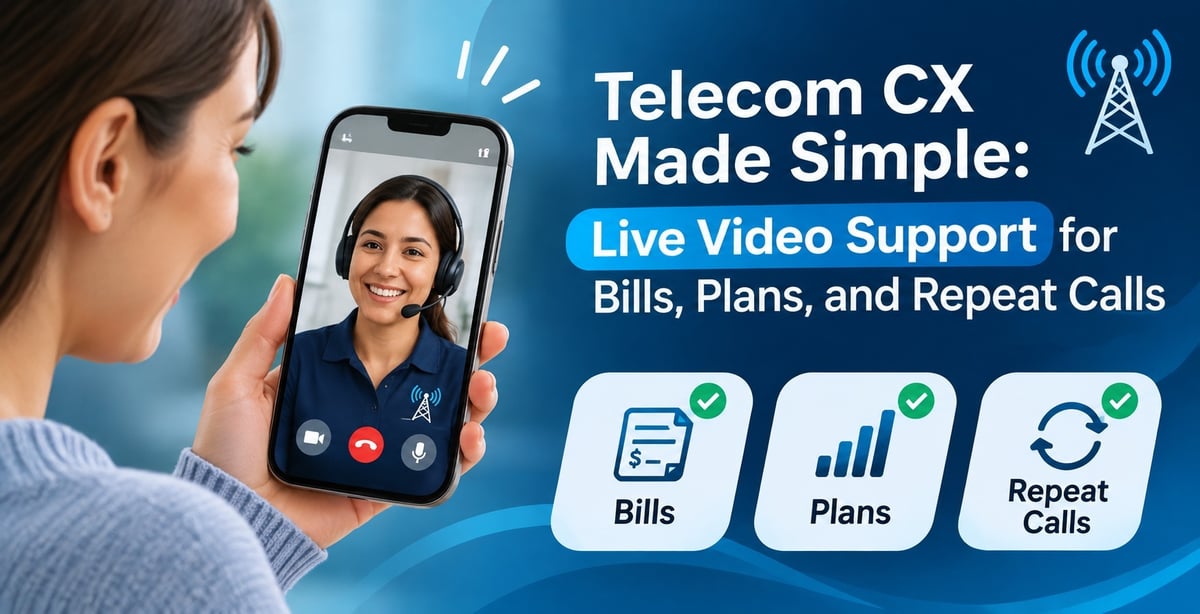
Live video support, together with screen sharing and cobrowsing, fixes that. This article covers how these three pain points damage the customer experience, what they cost your business, and how visual support helps your team resolve them faster.
The Three Pain Points Hurting Telecom CX
Confusing bills
Telecom bills are among the hardest consumer documents to read. A single statement can include prorated charges, one-time fees, promotional credits that expire, device installment plans, taxes, surcharges, and usage overages. Even an engaged customer struggles to match the total to what they expected.
When a bill does not make sense, the customer assumes they were overcharged. They call, already frustrated, and the agent’s job becomes translating a document they cannot see into plain language over the phone.
Complex plan options
Plan structures keep getting more complicated. Bundles, tiers, add-ons, loyalty discounts, contract terms, and device promotions all compete for attention. Customers want to know which plan fits their needs and what it will really cost, but comparing options over the phone is slow and error-prone. Agents recite details, customers forget half of them, and many hang up without deciding.
The result is either a call that goes nowhere or a plan the customer later regrets, which becomes another call, another complaint, or another cancellation.
Repetitive support calls
The third pain point is the repeat call. A customer reports a Wi-Fi problem, the agent talks them through a few steps, and the issue seems fixed. Three days later it returns. The customer calls again, explains everything from scratch, and sometimes a technician is dispatched for a problem that could have been solved remotely.
Blitzz’s article on moving from callbacks to first-call fixes describes how this cycle works and how visual diagnosis breaks it.
What These Problems Really Cost
According to Blitzz’s overview of visual assistance for telecom, the average first-call resolution rate in telecom sits at 62%, well below the 75% cross-industry average, and 39% of telecom customers say they have left a provider because of poor service. Those two numbers explain why this is a business problem and not only a service problem.
The costs show up in several places:
- Higher contact volume. Every unresolved issue becomes another call, chat, or visit.
- Longer handle times. Describing a bill or a device over the phone takes far more time than showing it.
- Technician dispatches. Problems that agents cannot diagnose get escalated to the field, adding cost and delay. Blitzz’s guide to what a truck roll really costs shows how quickly this adds up.
- Agent frustration and turnover. Agents who cannot fix problems burn out, and replacing them is expensive.
- Churn. Customers who feel unheard or confused are far more likely to leave. Early churn in the first few months is especially damaging.
The 10 barriers that kill customer support in 2026 article makes the same point from the customer side: when problems are explained through audio or text alone, misdiagnosis and long resolution times follow.
Why Voice-Only Support Falls Short
Phone support works well when the problem is simple and the customer can describe it accurately. Telecom problems are neither. Customers do not know the name of the device, the meaning of an indicator light, or the difference between a modem and a router. They cannot read an unfamiliar bill aloud in a way that lets an agent pinpoint the confusing line.
Chat does not solve this either. Customers type vague descriptions, agents ask clarifying questions, and the conversation drags.
What both channels lack is shared context. The agent has to imagine what the customer sees, and the customer has to imagine what the agent means. Visual support removes the imagination from the process.
How Live Video and Cobrowsing Solve Each Pain Point
Making bills clear with screen sharing and cobrowsing
When a customer is confused by a bill, the fastest fix is for the agent to see the same bill. With screen sharing or cobrowsing, the agent joins the customer’s session in the web portal or app, sees the statement in real time, and walks through it line by line.
The agent can point to the exact charge, highlight the promotional credit that ended, and explain the proration that caused the higher total. The customer sees the explanation on their own screen, next to the number they were worried about. Nothing is lost in translation.
This is the kind of use case cobrowsing was designed for. Telecom is listed among the industries where cobrowsing streamlines service selection, plan comparisons, and device support. Blitzz also covers the same idea for another industry with complicated statements in its post on co-browsing for utility support, where agents highlight important sections of a bill and walk customers through forms. The pricing for the cobrowse product is available on the Blitzz Cobrowse pricing page.
The practical benefits for billing calls include:
- Shorter calls. The agent finds the issue immediately instead of asking the customer to read figures aloud.
- Fewer escalations. Agents who can see the statement resolve more questions themselves.
- More trust. Customers who watch the explanation unfold are more likely to accept it.
- Fewer repeat calls. A bill that is truly understood does not generate a second complaint next month.
Simplifying plan choices with guided sessions
Choosing a plan should feel like getting advice from a knowledgeable friend. Over the phone, it often feels like reading a menu aloud.
With cobrowsing, the agent can guide the customer through the plan comparison page, highlight the options that fit their usage, and show the real monthly cost, including add-ons and taxes. The customer can see the differences instead of trying to remember them. When they are ready, the agent can help them complete the order on the same screen.
This turns a long, uncertain conversation into a short, confident one. It also reduces buyer’s remorse, because the customer made the decision with full visibility.
Live video adds another dimension for device-related choices. If a customer is deciding between a mesh system and a single router, an agent can look at the home layout and the existing equipment and recommend the right setup.
Ending repeat calls with visual diagnosis
Repeat calls happen because the first call did not actually fix the root cause. Agents working blind can only treat the symptoms the customer describes. With live video, the agent sees the equipment, confirms the cabling, checks the indicator lights, and verifies the fix before ending the session.
Blitzz Concierge works by sending the customer a link by text message, email, or WhatsApp. The customer taps it and joins live video from their phone browser with no app to download. The agent can zoom in, point to specific ports using a live pointer, and capture images for the ticket. The full workflow is described on the Blitzz Concierge page.
Several Blitzz posts show how this works in common telecom situations:
- Wi-Fi connectivity problems and live video support explains why guessing causes long calls and follow-ups.
- Diagnosing Wi-Fi dead zones without a tech visit walks through a remote coverage diagnosis.
- Fixing connectivity issues without a truck roll covers router setups and equipment problems resolved in a single call.
Proof From Telecom Providers
These results come from providers that already use Blitzz in their contact centers.
Moby relied on phone-based troubleshooting for internet, TV, and phone issues. After adopting Blitzz Concierge, the team reported a 95% first-call resolution rate, a 75% reduction in truck rolls, and a 10-minute average resolution time. The full story is in the Moby case study.
NorthwesTel reported a 68% reduction in truck rolls, a 3x increase in agent capacity, and an 87% first-call resolution rate. Read more in the NorthwesTel case study.
Comwave shortened customer resolution times by walking customers through troubleshooting steps live. The details are in the Comwave case study.
SaskTel also used Blitzz Concierge to cut truck rolls by letting reps complete diagnostics over video, as described in the post on how telcos leverage remote video support. For more stories from other industries, browse the Blitzz customer stories.
These numbers come from individual deployments, and your results will depend on your call mix, your processes, and how consistently agents use video. But the pattern is clear: when agents can see, resolution improves.
The Operational Benefits Behind the Better Experience
Better customer experience is the visible outcome. Underneath it, visual support improves how the contact center runs.
Higher first-call resolution. Agents with visual context solve more issues on the first contact. Blitzz’s piece on why ISPs are replacing phone-only support points out that every issue resolved on first contact is a repeat call that never happens.
Lower dispatch rates. Agents confirm the root cause before booking a visit, which ends precautionary site visits. The article on how telecom call centers cut repeat truck rolls explains the link between first-call resolution and repeat visits.
Faster agent ramp-up. Visual tools reduce the knowledge burden on newer agents, because they can see the problem and follow guided steps rather than rely on memory.
Better documentation. Captured images, session notes, and summaries attach to the ticket, so the next agent has full context if a follow-up is needed. Nobody has to ask the customer to start over.
Stronger retention. A customer who gets a clear bill explanation, a confident plan recommendation, and a first-call fix has far fewer reasons to leave. For a broader view of how these technologies fit together, see how telecom companies can use technology to transform customer support and the overview of AI-powered customer support for telecom.
How to Get Started
A rollout does not need to be large to be effective. Most telecom teams begin with a focused pilot.
1. Pick your highest-impact call types. Review the last quarter of contacts and identify the reasons customers call most often. Common candidates are billing explanations, plan changes, router setup, Wi-Fi coverage, and activation problems.
2. Match the tool to the problem. Use cobrowsing or screen sharing for bills and plan comparisons in the portal or app. Use live video for equipment, cabling, and Wi-Fi issues.
3. Make visual support part of the script. Agents should offer a video or cobrowse session early, not as a last resort. A simple line such as “Let me send you a quick link so I can see what you are looking at” works well.
4. Train for guiding. Agents learn to ask customers to pan slowly, use the pointer to direct attention, and confirm the fix on screen before closing the session.
5. Integrate with your existing tools. Blitzz connects with common CRM and ticketing platforms, so agents can launch sessions from the workflow they already use. The contact center support page covers integrations and best practices for managers.
6. Measure and refine. Track first-call resolution, average handle time, repeat contact rate, truck roll rate, and customer satisfaction before and after. Share the results with agents so they see the impact of their work.
Blitzz outlines the full telecom setup on its visual remote assistant for telecom and internet providers page, including features built for router setup, Wi-Fi troubleshooting, and cobrowse support. The benefits of live video support for telco companies article is also a useful overview for internal stakeholders.
Fix the Cause, Not the Symptom
Confusing bills, complex plans, and repeat calls look like separate problems on a dashboard. In practice, they all trace back to the same gap: agents and customers do not share the same view. Closing that gap does more than speed up individual calls. It reduces contact volume, lowers dispatch costs, improves agent confidence, and gives customers the clarity they have been asking for.
Telecom brands that win on service in the coming years will be the ones that stop asking customers to describe their problems and start looking at them together. Live video support, screen sharing, and cobrowsing make that possible without an app download, a long setup, or a major process overhaul.
If you are ready to see how it works for your team, explore Blitzz Concierge, check the Blitzz Cobrowse pricing, or read more telecom guides on the Blitzz blog.

Blitzz Team
The Blitzz Team writes about remote video support, virtual inspections and field service. Our guides come from working with home builders, property managers, warranty teams, contact centers and field service organizations that use Blitzz to see and solve issues without a truck roll.