

.png?width=120&height=55&name=Blitzz-Logo-right%20white%20eyes%20-%20not%20transparent%20(3).png)

On this page
Winter readiness is a deadline every utility and energy operator knows well. Substations, solar arrays, battery systems, generators, meters, pipelines and access roads all have to be ready before the first hard freeze, ice storm or snow load arrives. The challenge is that these assets are spread across wide territories, often in places that take hours to reach, while the crews who can inspect them are limited and the days are getting shorter.
With daylight saving time ending on November 1 and winter weather already arriving in parts of the country, the inspection window is closing. This is where remote video inspection can help. Instead of sending a specialist to every site, teams can connect a local technician, contractor or site contact to a remote expert by live video, walk through a standard checklist and capture a verified record of each asset’s condition.
This guide covers what the 2026 to 2027 winter outlook means for field teams, what winter readiness inspections should include, how remote video supports the process, and how to build a program that works.
What the 2026 to 2027 winter outlook means for field teams
Forecasters expect a strong El Niño this winter. NOAA’s Climate Prediction Center has an El Niño advisory in effect and expects conditions to strengthen into winter 2026 to 2027. El Niño typically tilts the odds toward a warmer West, a wetter South and active storm systems, according to coverage of NOAA’s early outlooks. Newsweek reports that NOAA currently favors above-normal temperatures across large portions of the West and East rather than a broadly cold winter.
That does not mean operators can relax. Seasonal forecasts describe average conditions over three months, not individual storms, and NOAA itself cautions that El Niño does not guarantee any single outcome. For field assets, a “wet and mild” winter can still mean:
- Ice storms and freezing rain where mild air meets cold
- Heavy rain, flooding and washouts in wetter regions
- High winds that bring down trees and lines
- Short, sharp cold snaps that stress equipment not built or maintained for them
- Heavy snow loads at elevation
Readiness is about preparing for the extremes, not the average.
Why winter readiness is hard for distributed assets
Geography. Remote substations, communication shelters, solar fields, wellheads and pump stations may be hours from the nearest crew base.
Limited crews. The same technicians handle readiness checks, customer calls, planned maintenance and emergency response. Every extra trip is time not spent elsewhere.
Short days. After the clocks change on November 1, there is less daylight for site visits and for the photos and documentation that come with them.
Compounding risks. Past events such as Winter Storm Uri in February 2021 and Winter Storm Elliott in December 2022 showed how cold-weather problems can cascade across systems when equipment is not prepared. Small gaps, such as a failed heater, a low fuel tank or a frozen regulator, can become major outages.
Inconsistent records. Different crews check different things in different ways. Without a standard process and a record of what was found, it is hard to prove readiness or spot recurring problems.
What winter readiness inspections should cover
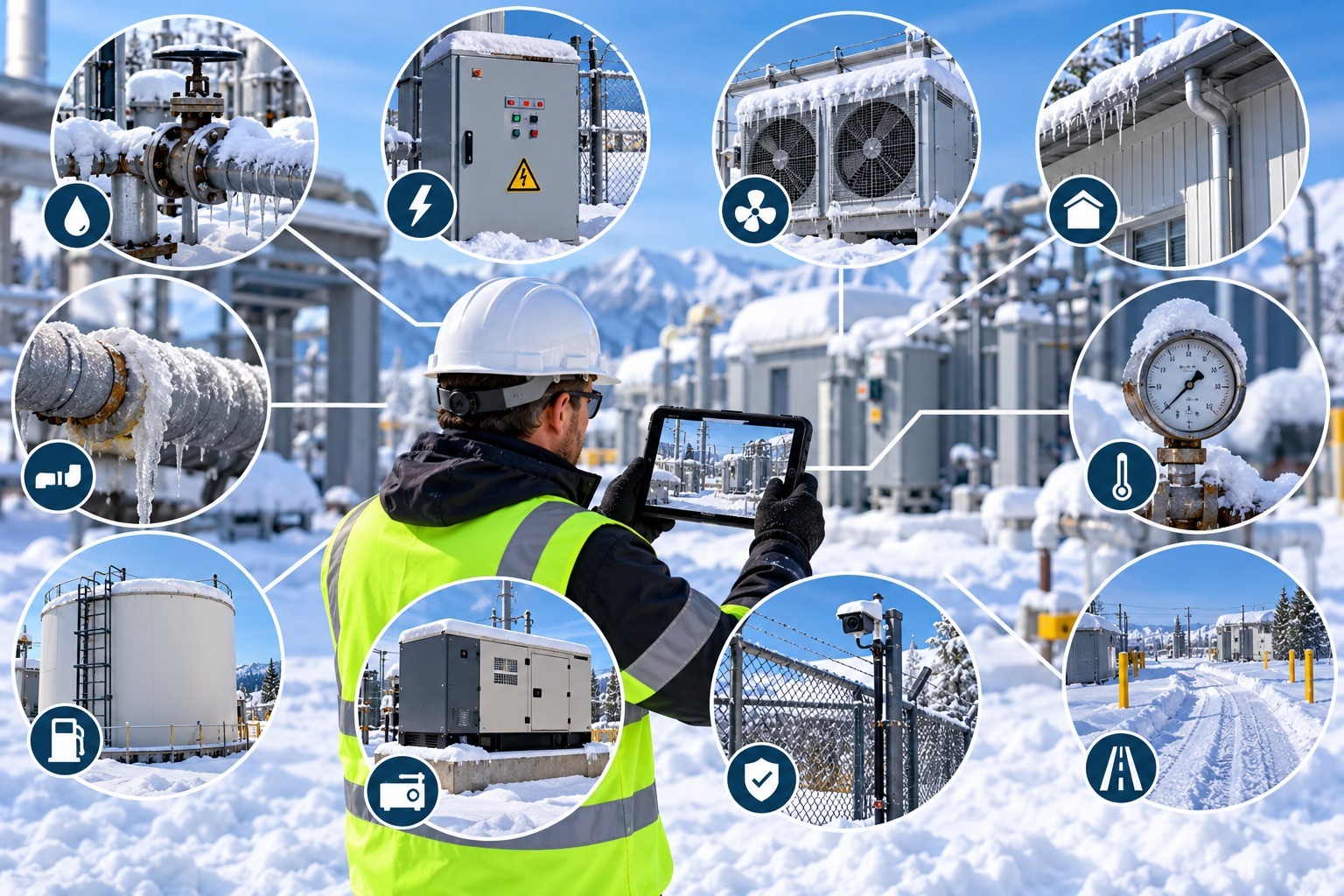
Checklists should reflect your asset types, climate and internal standards, and they should follow equipment manufacturer guidance and applicable regulations. The following is a general framework for the kinds of items teams commonly review.
| Asset type | Typical winter readiness checks |
|---|---|
| Substations and switchgear | Enclosure heaters operating, door seals and gaskets intact, gas or oil levels in range, gauges legible, drainage clear, access roads passable |
| Transformers and regulators | Oil levels and gauges, leaks, bushings, cabinet heaters, signs of moisture ingress |
| Distribution lines and poles | Tree clearance, leaning or damaged poles, loose hardware, guy wires, ice and wind loading risks |
| Solar arrays and inverters | Snow and ice loads on mounts, loose racking, damaged panels, drainage and erosion, inverter enclosure condition and ventilation |
| Battery energy storage | Enclosure condition, HVAC and thermal management, door seals, signs of moisture, labels, clearances, fire protection equipment status |
| Generators and fuel systems | Block heaters, battery condition, fuel levels and quality, coolant levels, exhaust and ventilation, transfer switch condition, test run records |
| Meters, regulators and gas equipment | Vents clear of snow and ice, regulator condition, protective covers, damaged or exposed piping |
| Water, wastewater and pumping | Heat trace and insulation, exposed piping, backup power, enclosure heaters |
| Communications shelters and towers | HVAC and heating operation, battery backup, antenna and cable condition, ice risk |
| Facilities and fleet | Roof drains, weatherstripping, emergency lighting, access routes, vehicle readiness and emergency supplies |
Manufacturers and engineers set the exact requirements. The point is that many of these checks are visual: a technician looks at a gauge, a label, a heater, a seal or a tank level and records what they see. That makes them good candidates for guided video.
How remote video supports winter readiness
On its utilities and energy page, Blitzz describes remote video inspections as real-time visual assessments conducted by live video between technicians and customers or field contacts, with use cases such as meter verification, outage response and infrastructure assessments. The same approach translates to readiness inspections in several ways.
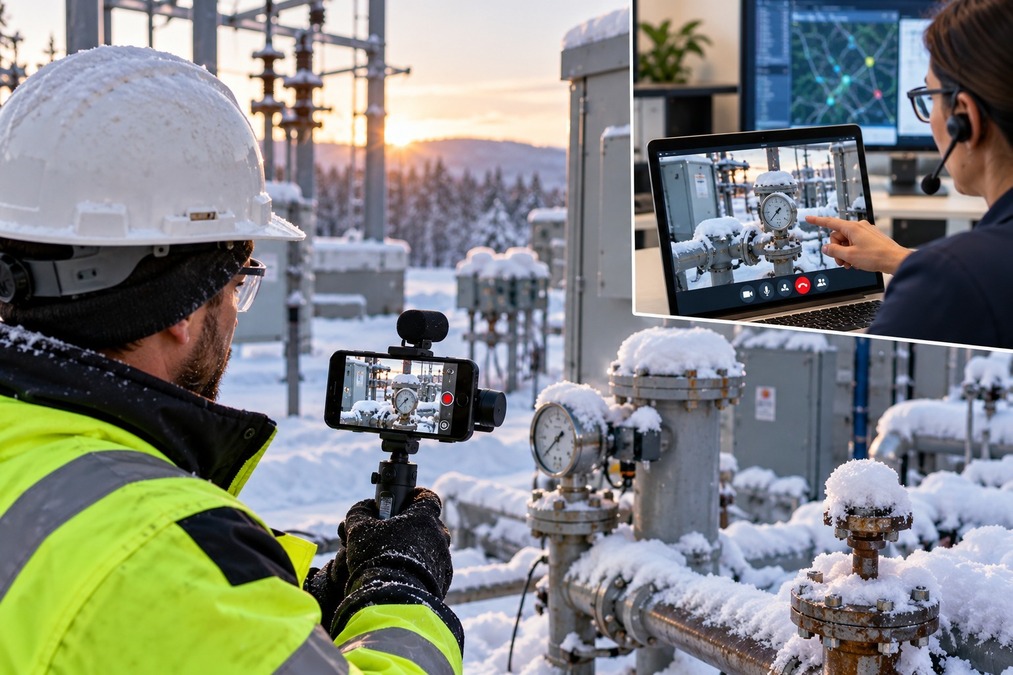
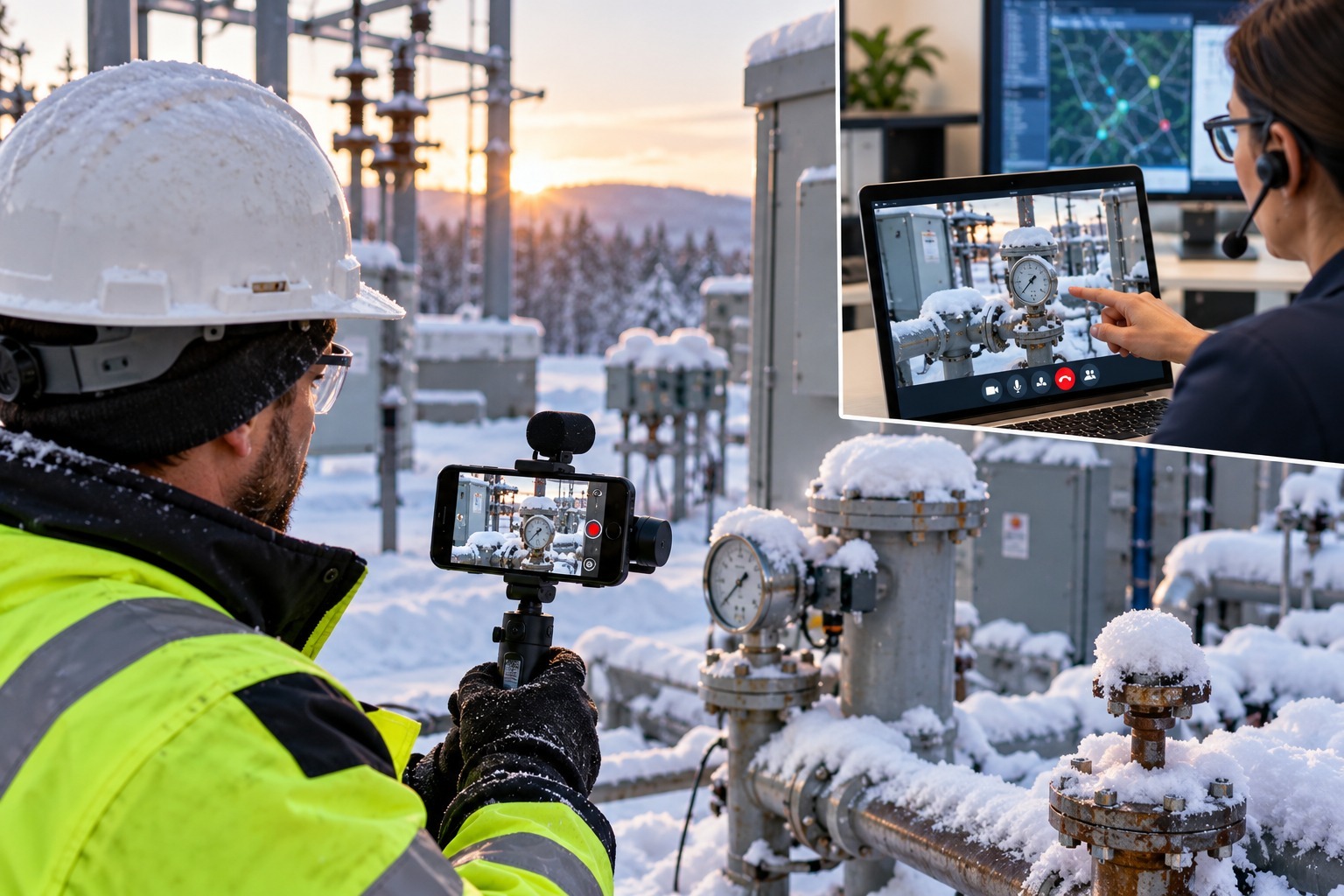
A remote expert guides a local person. A subject-matter expert, such as a substation engineer, generator specialist or reliability planner, can lead a walkthrough by video while a local technician, contractor or site operator carries the phone. The expert sees what the technician sees and can direct the camera to the exact component that needs attention.
No app barrier. With Blitzz Inspect, the person on site joins from a phone browser with no app download. That helps when working with contractors, landowners, site hosts and temporary staff.
See details clearly. Remote zoom helps the expert read gauges, labels and nameplates. Remote flashlight control lights up dark enclosures, control cabinets and equipment rooms. Markup and live pointer tools make it easy to flag a component or a concern in real time.
Capture and record. Teams can save timestamped HD photos with GPS location data, record sessions with consent, use OCR to pull text from labels and nameplates, and generate an AI call summary and inspection report at the end.
Work with poor signal. Many field assets are in low-coverage areas. Offline mode lets participants capture images and data without a connection and upload them when service returns.
Fewer unnecessary truck rolls. Blitzz positions remote inspection as a way to reduce truck rolls and resolve issues faster. For readiness work, that means using video for routine verification and reserving in-person visits for sites where a problem is found.
Building a remote winter readiness program
A simple, repeatable process works better than a one-time push. Here is a practical approach.
1. Inventory and prioritize assets. List the sites and equipment that matter most to reliability and safety, and rank them by criticality, climate exposure and history of cold-weather problems.
2. Write standard checklists. Create one checklist per asset type, based on manufacturer guidance, engineering standards and lessons learned from past events. Keep items specific and visual, such as “show the enclosure heater and confirm it is operating” or “show the fuel gauge.”
3. Define what can be done remotely. Decide which items can be verified by video and which need hands-on testing or specialist tools. A remote session can witness a technician testing a generator, but it cannot replace the test itself.
4. Assign roles. Identify the remote reviewers and the local camera operators, and make sure each person knows their role. Train camera operators to move slowly, narrate and follow instructions.
5. Schedule by priority and route. Group sessions by region so a local technician can complete several in a day, and put the highest-risk sites first.
6. Run the session. Open with the site ID and date. Work through the checklist in order, capture photos of each item and record findings in real time.
7. Create work orders from findings. Anything that fails or looks marginal should trigger a work order with photos attached. Where possible, connect video sessions to your asset or work management system. See Blitzz’s integrations page for available options.
8. Re-verify after repairs. A short follow-up video session can confirm that a repaired heater, replaced seal or cleared drain is working before the next weather event.
9. Review and improve. After each season, look at what the inspections found, which problems recurred and how the checklist should change.
Build a baseline with BlitzzCam
Readiness is easier to judge when you know what normal looks like. A baseline record of each site, captured before winter and updated after storms, lets reviewers compare current condition with previous condition.
BlitzzCam field photo documentation helps field teams capture that record. Each photo is stamped with GPS location and timestamp and filed by job and phase, so teams can keep an organized photo history for each site: equipment labels, gauge readings, enclosure condition, roof and drainage details, access roads and perimeter. When something changes, such as a leak, a displaced panel or a new crack, the earlier photo provides a clear comparison. BlitzzCam is listed as early access on the Blitzz site, so confirm availability with the Blitzz team.
Baselines also help with:
- Warranty and insurance claims. A dated record of pre-storm condition supports claims after damage.
- Contractor oversight. Photos from outside crews show work was completed as specified.
- Training. Good and bad examples from real sites help new technicians know what to look for.
During and after winter events
Winter readiness does not end when the first storm arrives. The same tools support response and recovery.
Remote triage after storms. When a storm hits, a remote expert can connect with a local crew or site contact to assess damage before dispatching heavy equipment. That can speed up decisions about what to repair first and what resources to send.
Restoration verification. After repairs, a video session can confirm the work, capture photos and update records. For customer-facing issues such as meters or service equipment, Blitzz’s utilities page highlights meter verification and outage response as use cases.
Safety and access checks. Before sending crews, a local contact can show road conditions, downed trees, ice or flooding by video so dispatchers can plan safe routes.
Contractor and mutual aid support. Visiting crews who are unfamiliar with the territory can be guided by a local expert over video.
Safety and lone-worker considerations
Cold weather raises safety risks, and remote video should reduce exposure, not add to it.
- Do not ask a camera operator to climb, enter an energized area or stand near hazards to get a better view.
- Keep sessions short in extreme cold so technicians are not standing still for long periods.
- Use remote guidance to limit how many people need to be at a hazardous site.
- Follow your lockout and tagout, arc flash and other safety procedures. Video is a visual aid, not a substitute for those practices.
- Choose a platform with strong security controls, because site videos may show critical infrastructure.
For lone workers at remote sites, a live video connection can also serve as a check-in point, though it should not replace your formal lone-worker safety protocol.
Metrics that show readiness
Track results so you can show progress and improve the process.
- Percentage of critical sites inspected before the winter deadline
- Number of sites verified remotely versus in person
- Findings per site, by category and severity
- Time from finding to repair
- Follow-up verification rate after repairs
- Truck rolls avoided
- Outage or incident rates in cold weather compared with prior years
- Crew and contractor feedback
Comparing sites that were verified remotely with those that were not can also help you refine where video works best.
Limits and honest expectations
Remote video is useful, but it has boundaries.
- It does not replace testing. A camera cannot measure insulation resistance, gas density or generator load on its own. It can witness a technician performing the test and show the readings.
- Hidden or internal conditions are hard to see. Some problems need hands-on inspection or specialized instruments.
- Quality depends on the camera operator. Training and clear scripts make a big difference.
- Signal can be a problem. Plan for offline capture and backup methods.
- Regulatory and safety requirements still apply. Confirm that remote methods meet any internal, regulatory or contractual requirements for your assets.
The best programs use video for what it does well, which is fast, consistent visual verification and documentation, and keep in-person inspections for what needs hands-on work.
Get ahead of the first storm
Winter readiness is a race against the calendar. Remote video inspection helps teams cover more sites in less time, bring expert eyes to remote locations, and leave behind the verified records that prove assets were checked and ready.
Start with a pilot. Choose a handful of critical sites, build a simple checklist, train your camera operators and run a few guided sessions. Learn what works, adjust and expand before the heaviest weather arrives.
To see how remote video inspection and BlitzzCam field photo documentation can support your winter readiness program, explore the Blitzz features, read the case studies or schedule a demo with the Blitzz team. Teams that also manage construction crews and contractors can see how remote video fits those workflows on Blitzz’s construction page.

Blitzz Team
The Blitzz Team writes about remote video support, virtual inspections and field service. Our guides come from working with home builders, property managers, warranty teams, contact centers and field service organizations that use Blitzz to see and solve issues without a truck roll.